InvoicePop
Send it. Track it. Get paid.
Invoicing for freelancers and contractors — create, send, and follow up in minutes, right from your phone.
Coming soon to Google Play Support & help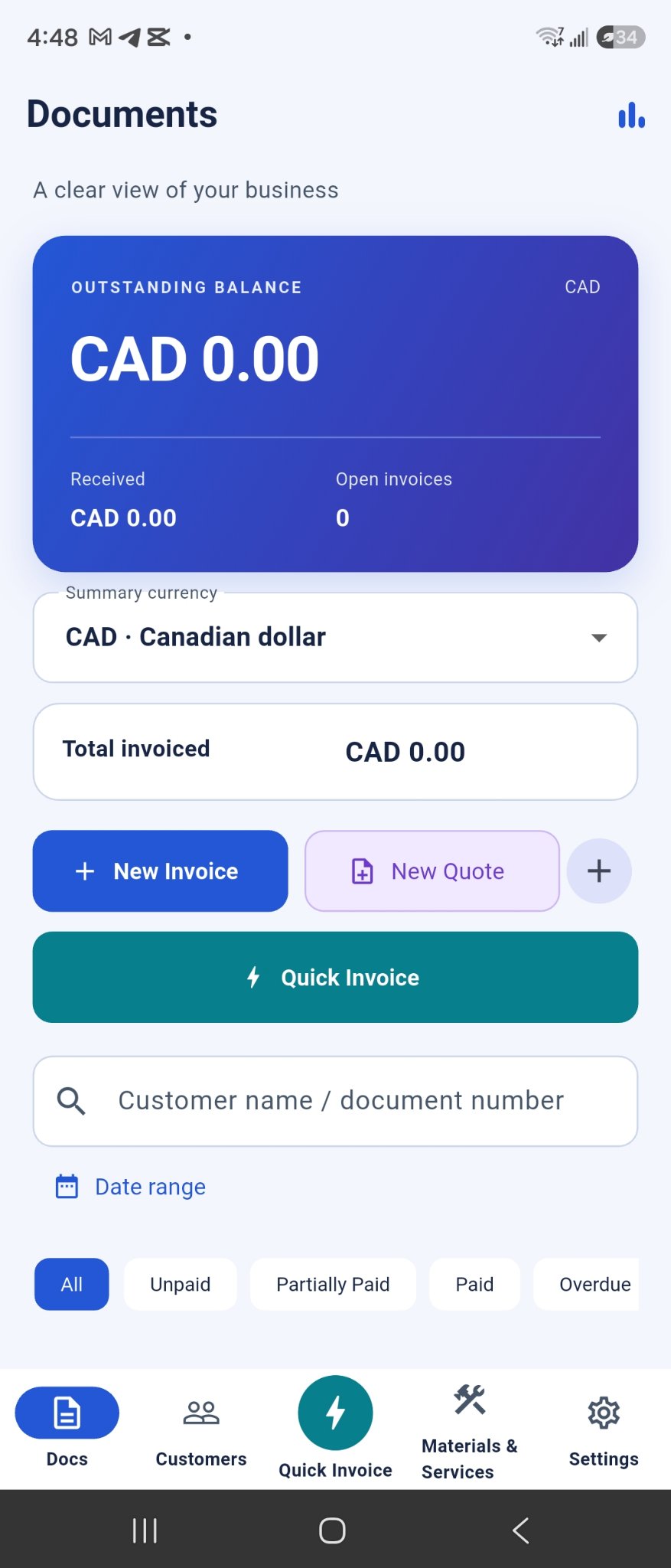
Send it. Track it. Get paid.
Invoicing for freelancers and contractors — create, send, and follow up in minutes, right from your phone.
Coming soon to Google Play Support & help
Real screens from InvoicePop — no mockups, no stock photos.
Outstanding, received and open invoices — plus New Invoice, New Quote and Quick Invoice one tap away.
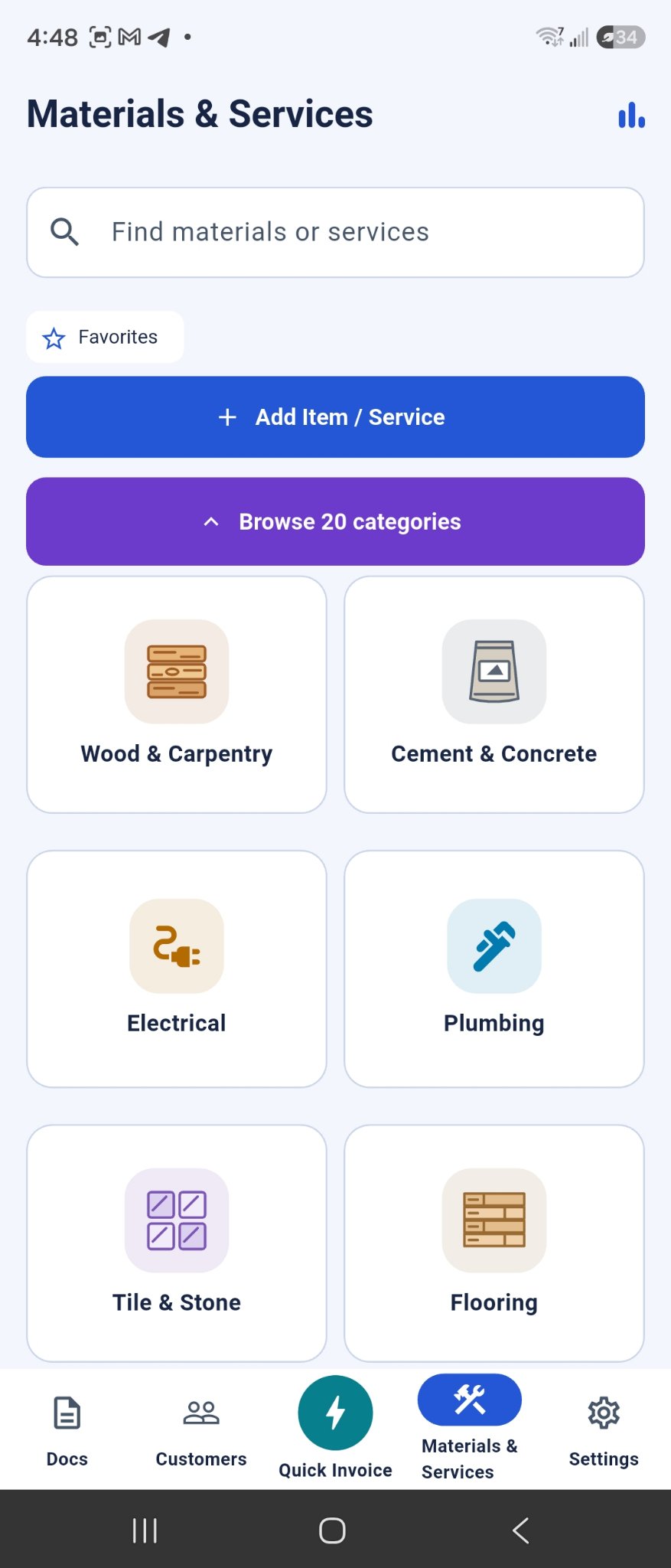
Twenty trade categories — wood, cement, electrical, plumbing and more — with your own items a search away.
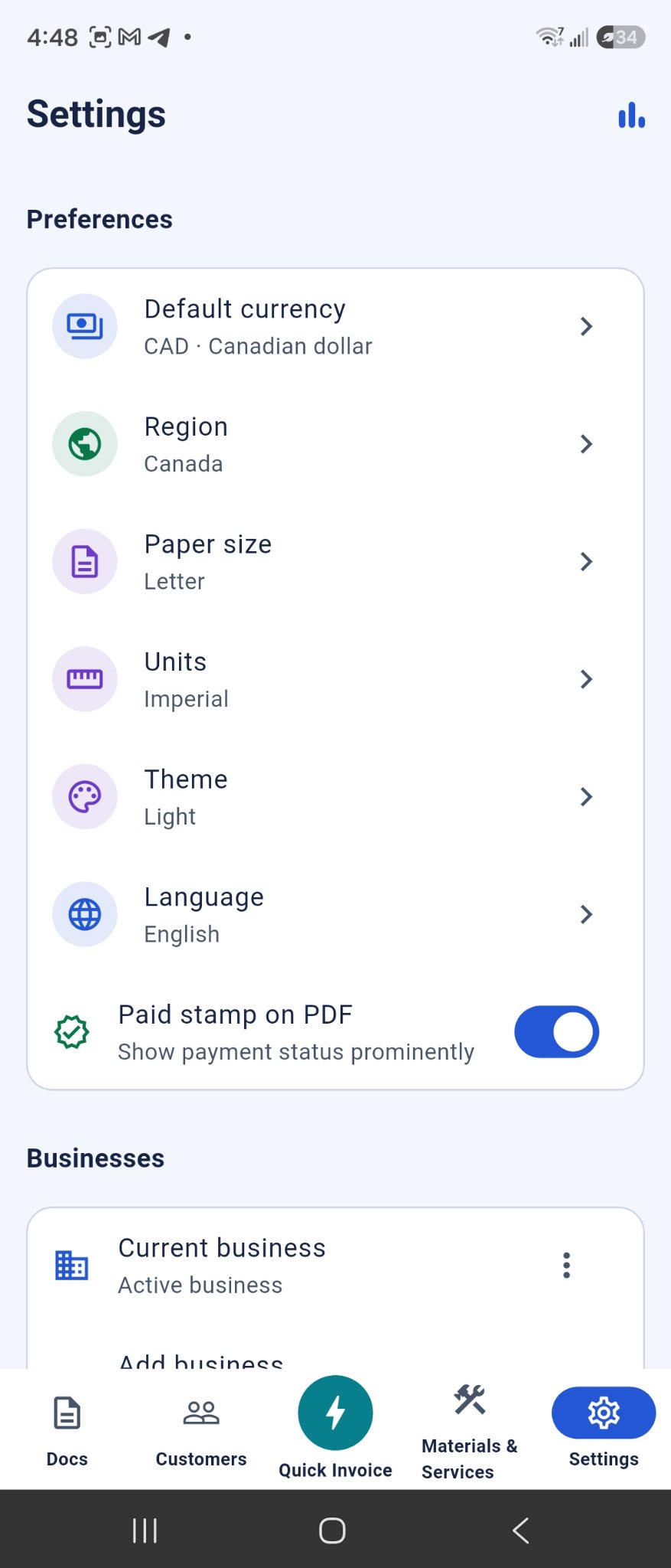
Your currency, region, paper size and units — and more than one business, each with its own customers and documents.
Built for people who would rather be on the tools than in a spreadsheet.
Smart templates, saved clients and items, taxes and discounts handled — a clean invoice or quote in a few taps, exported as a polished PDF.
Tap “Speak job details” and say the work out loud. With your permission, InvoicePop can turn it into an editable draft — nothing is recorded or sent until you confirm.
Open invoices, partial payments and balances at a glance — so follow-ups are a nudge, not a guessing game.
Work fully on your device without an account. Optional sign-in adds cloud sync across your devices — your records stay yours.
Export backups and PDFs any time, and bring your records with you when you change phones.
Totals, taxes and payment records stay organised, so handing things to your accountant is painless.
If you send invoices from a truck, a site, or a kitchen table — this is for you.
The things people actually ask before trusting an app with their business records.
You don’t — and we say that plainly. InvoicePop does not process payments or hold your money. You invoice with InvoicePop, your client pays you the way you already work (bank transfer, cash, your card reader), and you record the payment in the app so your balances are always right.
No. You can create and manage invoices entirely on your device as a guest. An account is only needed if you want cloud sync and account features.
Voice input uses your device’s speech recognition and only runs when you tap the voice button; InvoicePop itself does not save audio. AI drafts are optional: nothing is sent until you confirm, and the confirmation names the AI service used. Details are in the privacy policy.
Any time, by email — you don’t even need the app installed. Full steps are on the account deletion page.